
Posted a TikTok video and it is stuck at 0 views, or frozen at 200? Most likely it is a shadowban: TikTok does not delete the video, it quietly stops showing it in the For You feed. This guide explains what a TikTok shadowban is, how to check it in 5 minutes with TikTok's official Account Check, what causes it, how long a shadowban lasts and how to fix it step by step. We also cover why you can get 0 views without any ban, and how to avoid restrictions when running UBT traffic from multiple accounts.
What a TikTok shadowban is
A shadowban is a hidden reach restriction: your account and videos still exist and you see them on your profile, but the algorithm stops recommending them to new viewers. There may be no "you are banned" notice at all, hence the name.
TikTok itself does not use the word "shadowban". In its Community Guidelines this is called being ineligible for the For You feed (FYF). TikTok states that not all allowed content is guaranteed to be recommended; the For You feed has its own, stricter standards. There are two levels:
- video level: one video is not recommended while others work;
- account level: for repeated violations TikTok can temporarily remove the whole account from recommendations and limit posting and search visibility. TikTok says it notifies creators about this, and it can be appealed.
Signs of a shadowban
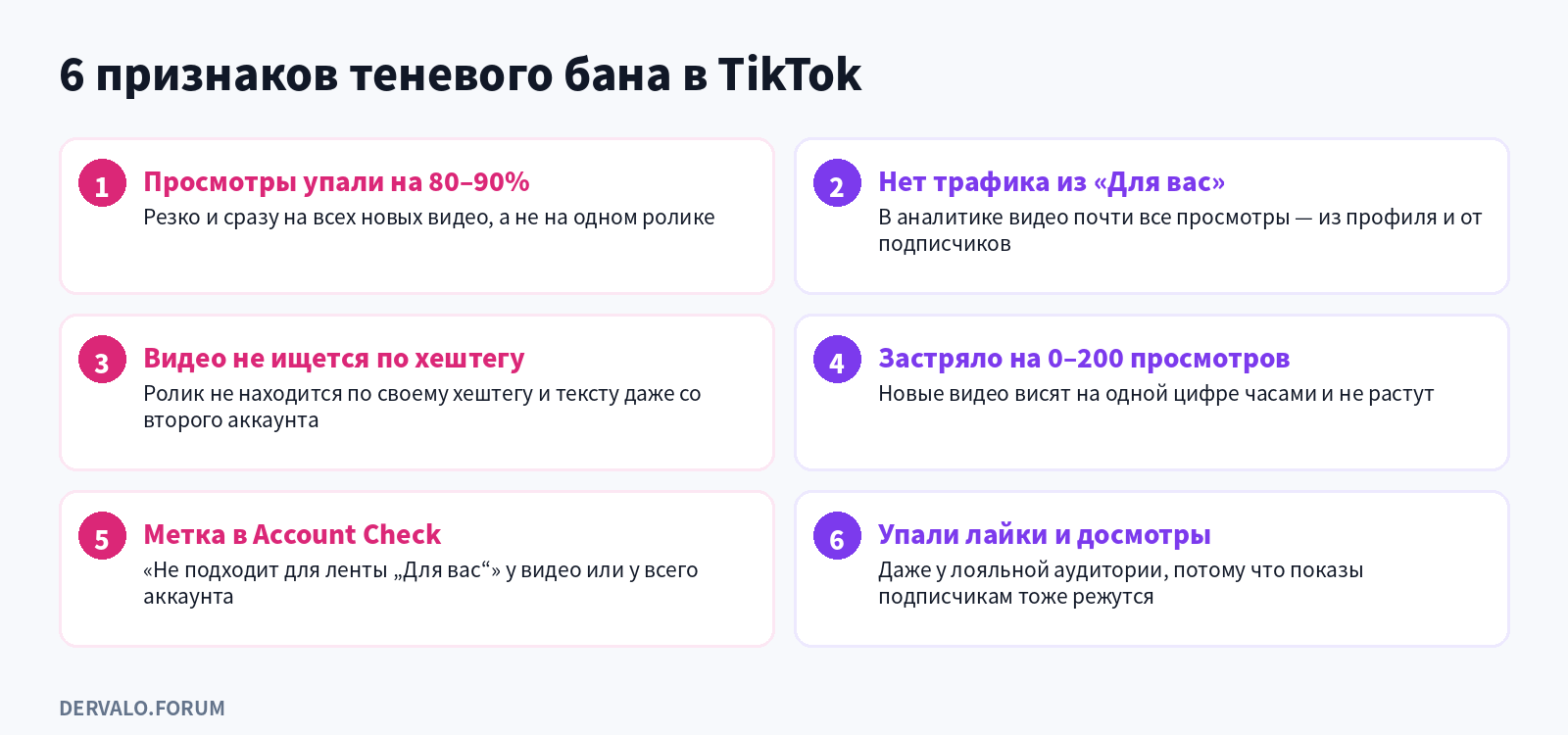
If 2-3 signs match at once, it is almost certainly a reach restriction · click to enlarge
- Views drop by 80-90% across all new videos, not just one weak post.
- No For You traffic. In video analytics almost all views come from your profile and followers.
- The video is not found by hashtag or caption text, even from a second account.
- Videos get stuck at 0 or ~200 views for hours.
- A "not eligible for the For You feed" flag on a video or the account in Account Check.
- Engagement falls: likes, comments and watch time drop even among regular followers.
How to check a TikTok shadowban: 5 ways
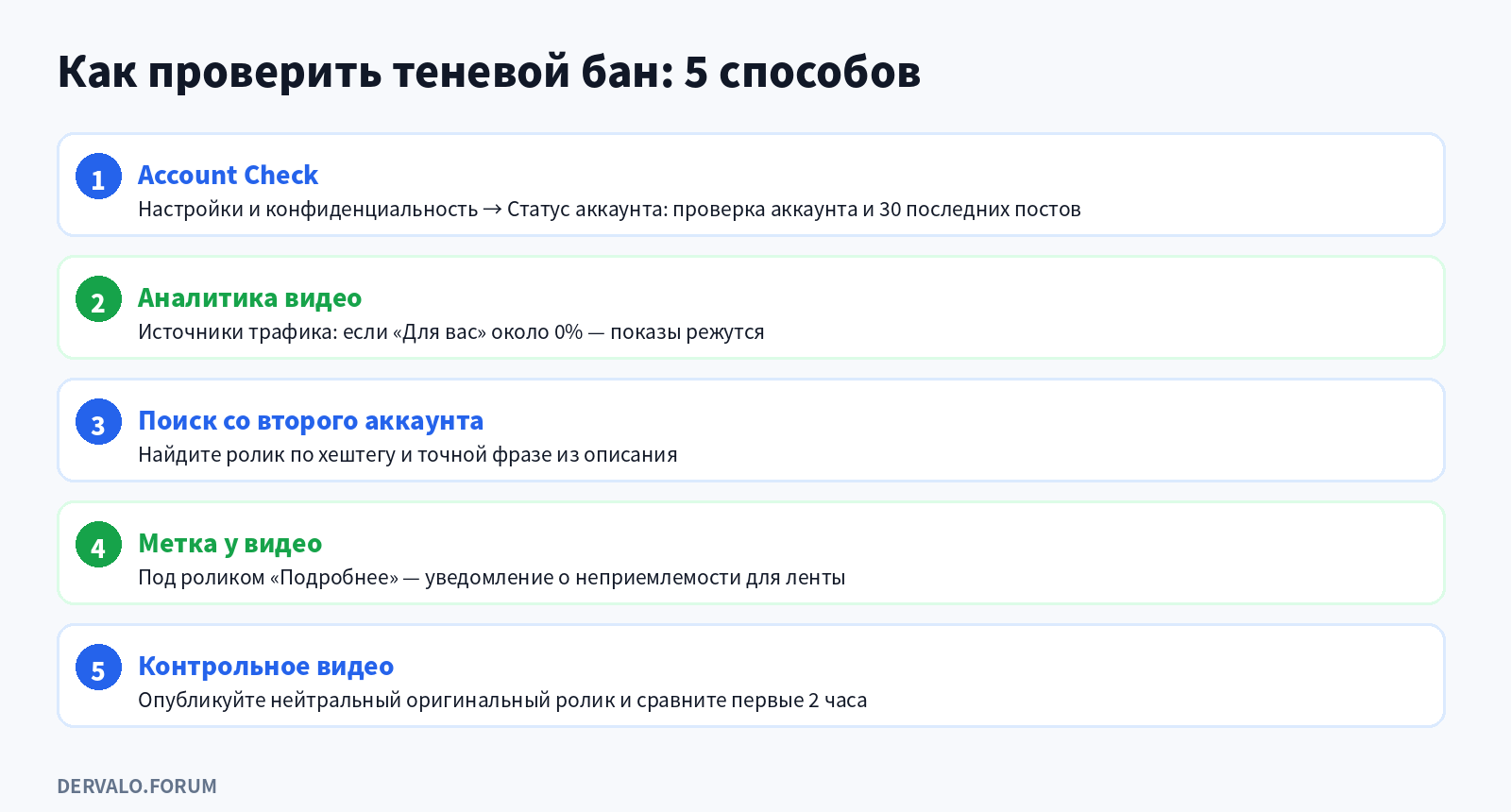
Start with the official Account Check: it shows restrictions directly · click to enlarge
1. Account Check and account status
The most reliable method because it is TikTok's own tool. Open your profile → menu → Settings and privacy → Account status. There you will find your violations page and Account Check: according to TikTok, it audits your account and last 30 posts and shows whether features (comments, messages) are restricted and whether videos were removed or kept off the For You feed. Menu names vary slightly between app versions; if you cannot find it, look under Safety Center.
2. Video analytics
Open a video's analytics and check traffic sources. Normally a fresh video gets a noticeable share of views from For You. If that share is near 0% and all traffic comes from your profile and followers, distribution is being limited.
3. Search from a second account
From another account (ideally another device and network) search for the video by a unique hashtag and an exact phrase from the caption. If a published video is missing, that is a warning sign.
4. The flag on a specific video
If a video is ruled ineligible for the feed, a notice appears at the bottom ("More insights") with the reason and an appeal button.
5. A control video
Post a neutral, original video: filmed by you, no third-party music, watermarks or links. If it also sits at zero for the first 1-2 hours, the restriction is probably at account or device level rather than on one video.
Third-party "shadowban checkers" by username have no access to TikTok's internal data and only guess from public stats, so do not rely on them.
What causes a shadowban: 10 reasons
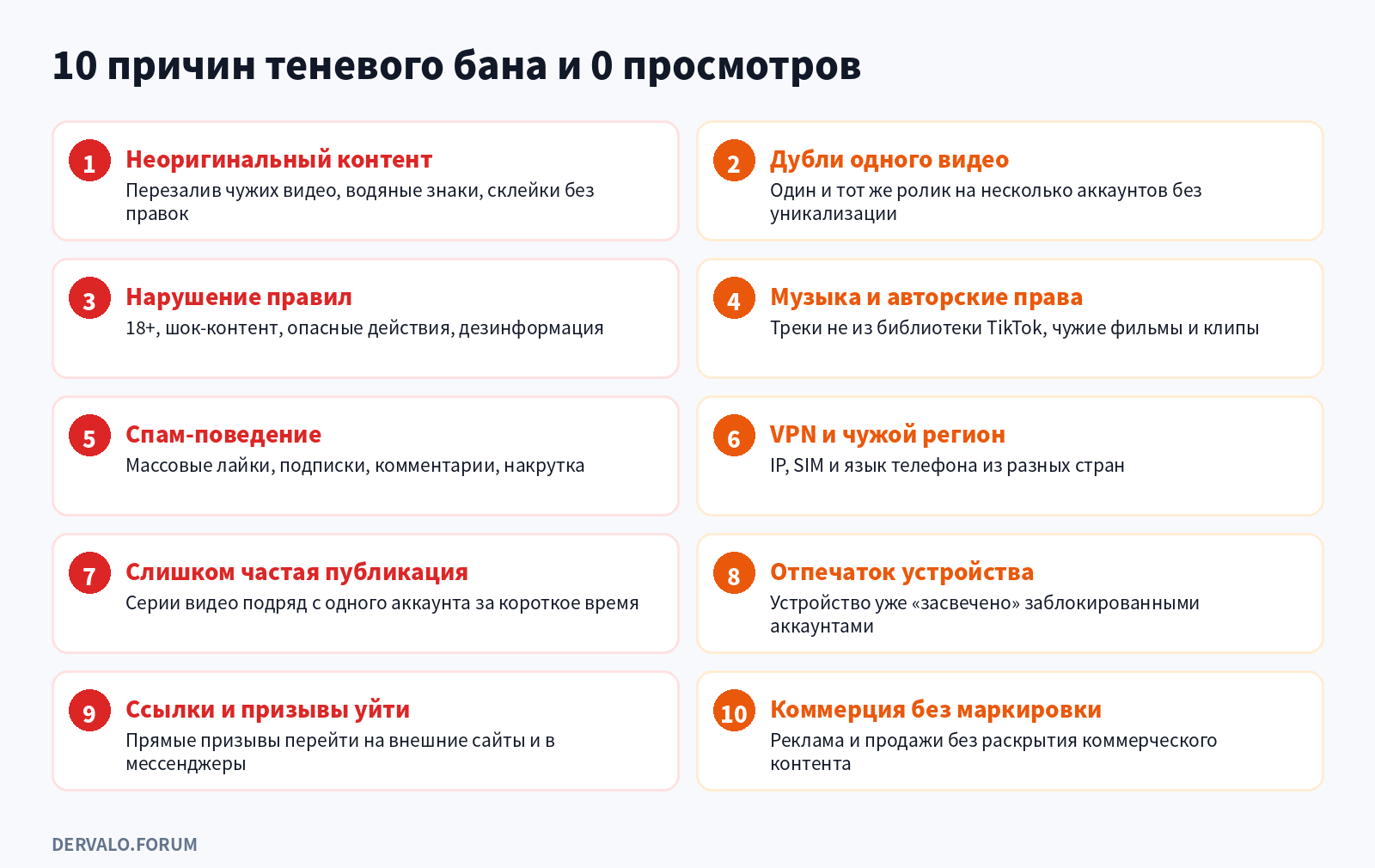
The first two are the main ones for UBT · click to enlarge
- Unoriginal content. TikTok's rules list "reused or unoriginal content posted without creative edits, such as clips that show someone else's watermark or logo" and low-quality, minimally edited clips as FYF-ineligible.
- Duplicate videos. The same file on several accounts without uniquization is detected as a repeat.
- Community Guidelines violations: explicit content, shock content, dangerous acts, misinformation. Violations earn strikes.
- Music and copyright: tracks outside TikTok's library, clips from films, shows and other creators.
- Spam and fake engagement. Mass likes, follows and comments, bots, follow4follow hashtags: the rules treat all of this as inauthentic activity.
- VPN and mismatched region. When IP, SIM and phone language point to different countries, the account looks suspicious and videos may reach the wrong audience or none.
- Posting too often. Bursts of videos from one account in a short time look automated.
- Device fingerprint. If banned accounts were used on a phone, new accounts on it start with low trust.
- Pushing users off the platform. Under the guidelines update effective 13 September 2025, TikTok reduces the visibility of content that directs users to buy off-platform in markets where TikTok Shop operates.
- Undisclosed commercial content. Ads and sales must be labeled as commercial content.
Why TikTok shows 0 views even without a ban
Zero views is not always a shadowban. Check the simple causes first:
- The video is under review. New videos go through automated moderation; views can stay at zero until it finishes. Wait 30-60 minutes.
- Privacy settings. The video is posted for friends only or the account is private; make sure it is set to Everyone.
- A new account. The algorithm is cautious with newcomers; first videos often get little reach, which is normal.
- A weak opening. If viewers swipe away in the first seconds, TikTok does not expand distribution. The hook in the first 1-2 seconds matters most.
- Poor quality: low resolution, shaky footage, noise, unclear audio.
- Account region. Registered in one country but used through another country's IP, the video may go to an empty audience.
If the video is still at zero after these checks and the signs above match, it is a reach restriction; move on to fixing it.
How to remove a TikTok shadowban: step by step
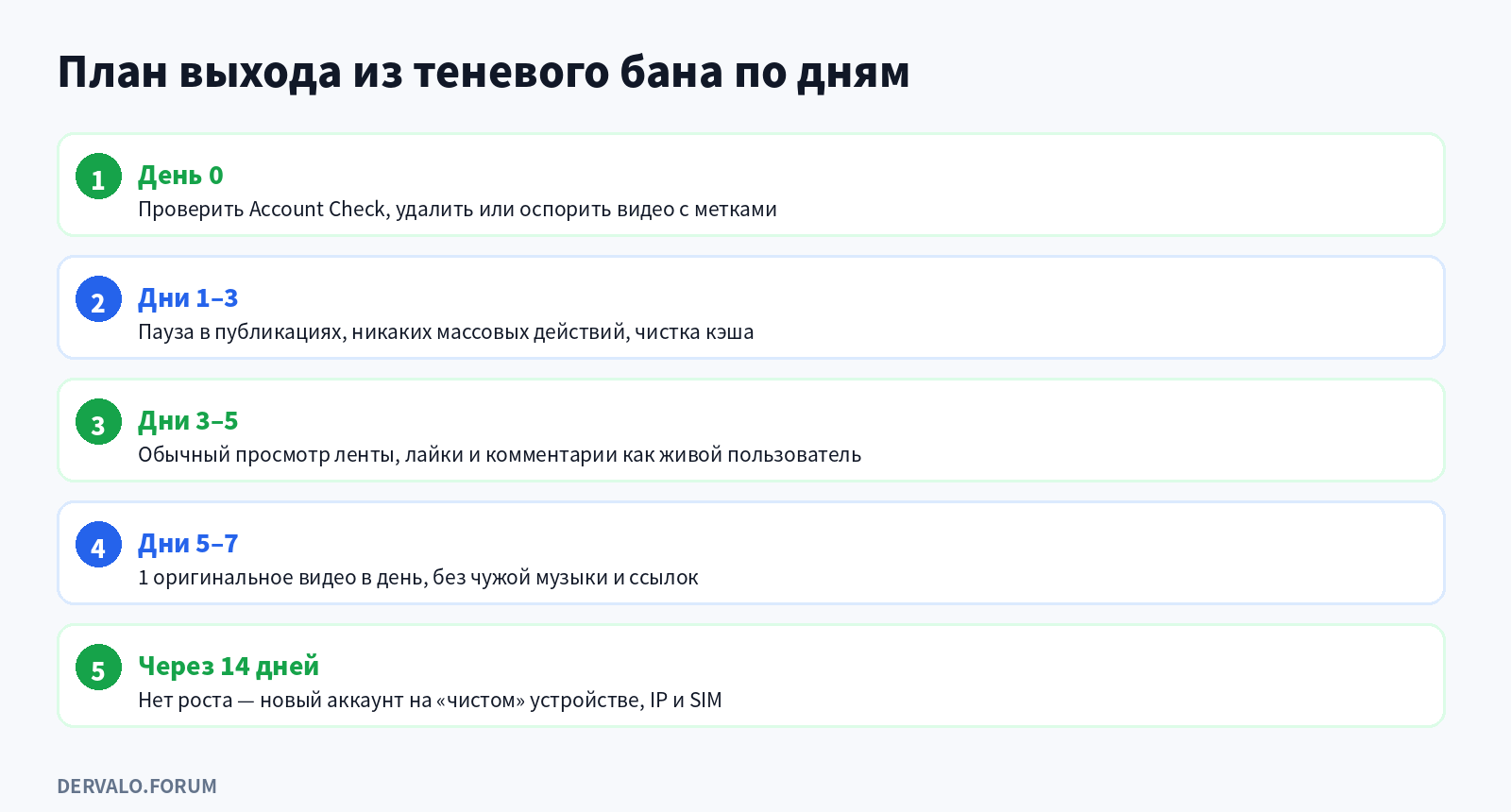
There is no 'remove ban' button: the restriction lifts through behavior and time · click to enlarge
- Open account status and Account Check. See which videos are flagged and why.
- Delete or appeal violating videos. If a video was restricted by mistake, appeal from its notice. Argue the specific point: you filmed it, the music is from TikTok's library, the context is educational.
- Pause for 2-3 days. No posting, no mass deletion of old videos, no mass likes or follows.
- Remove technical causes. Turn off VPN, make sure IP, SIM and device language match the account region. Clear the app cache.
- Behave like a normal user. Spend 15-30 minutes a day watching the feed, liking and commenting on topics you care about.
- Come back with original content. One video a day: filmed by you, library music, no watermarks, links or calls to leave the platform.
- If there is no growth after 14 days, the restriction is probably at account or device level. It is easier to start a new account on a clean device with the right IP and SIM, and warm it up.
How long a TikTok shadowban lasts
TikTok does not publish official durations. Based on creators' and affiliates' observations, mild restrictions pass in 3-5 days, moderate ones in 7-10 days, and serious ones last 14 days or more. Repeat violations extend the period.
What is official: strikes expire after 90 days. Reaching the strike threshold for one feature or policy leads to a permanent ban, and the most severe violations can mean an immediate ban. So the key during a shadowban is not to add new violations while old ones are still active.
"Your video is not eligible for the For You feed": what it means
This is the official FYF-ineligibility notice. The video is not deleted and stays on your profile; it is just not recommended to new viewers. Tap the notice to see the reason and the appeal button. If the reason is unoriginal content or third-party music, arguing rarely helps; re-upload a reworked version instead.
Shadowbans in UBT and multi-accounting
For anyone running free-ish (UBT) traffic from TikTok, the shadowban is the main operational risk: dozens of accounts are at stake, not one video. What lowers the risk:
- Uniquize every video. Identical files on different accounts lead straight to "unoriginal content". Change the edit, text, voice-over and cover, not just metadata.
- One device, one environment profile. Mobile farms use separate devices or cloud phones; on the web, anti-detect browsers.
- A clean IP matching the account region. Mobile proxies for the right country work best, with matching SIM and device language.
- Warm-up. A new account behaves like a regular user for a few days before posting.
- No direct links or calls to action in videos, especially for off-platform purchases. Redirect traffic carefully through the profile and native formats.
- Rotation and records. Keep a sheet of account, device, IP and when problems started, so you can quickly see whether a device or network is burned.
For creatives that do not get flagged as duplicates, see our article on affiliate creatives; for setups and moderation in gambling, see the guide to gambling traffic from TikTok.
How to avoid a shadowban
- post only original videos or videos with clear creative editing;
- use music from TikTok's library;
- do not post bursts of videos; keep a steady rhythm;
- do not buy likes, followers or views;
- label ads as commercial content;
- check account status and Account Check once a week;
- do not delete videos in batches; it also looks like abnormal behavior.
FAQ
What is a TikTok shadowban in simple terms?
A hidden restriction where your videos stay on your profile but TikTok stops showing them in the For You feed. Officially it is called being ineligible for the For You feed.
How do I know my account is shadowbanned?
Check account status and Account Check in settings, look at the For You share in analytics and try to find a video by hashtag from a second account. If views dropped sharply across all videos and there is no recommendation traffic, it is a restriction.
How long does a TikTok shadowban last?
There is no official duration. From observation, 3-5 days for minor issues up to 14 days or more for serious ones. Strikes expire after 90 days.
Why does a new TikTok video get 0 views?
It may still be under review, posted with limited privacy, posted from a new account or restricted for a violation. Wait 30-60 minutes and check account status.
Should I delete videos during a shadowban?
Delete or appeal only the videos that carry a violation flag. Mass-deleting everything does not lift the restriction and looks like abnormal activity.
Will a new account help?
Yes, if the restriction is at account level. But if the device or IP is burned, a new account on the same phone and network quickly gets the same limits.
Can a VPN cause a shadowban?
VPNs are not banned as such, but a mismatch between IP, SIM, device language and account region, and dirty shared IPs, often lead to lower reach.
Do online shadowban checkers work?
Third-party services cannot see TikTok's internal restrictions. The reliable checks are account status, Account Check and analytics.
Hit a shadowban while running traffic? Share what helped on the forum: in the TikTok and UBT section such cases help others keep their accounts.