

Warming up a TikTok account is where UBT starts. A new account that posts videos with calls to action on day one usually ends up shadowbanned or stuck at 0 views. This guide covers a day-by-day TikTok warm-up plan, the difference between warming and farming, how to set up iPhone and Android for your target GEO, which proxies TikTok needs and how to build an account farm that survives past the first week.
What TikTok account warming and farming are
Account farming means registering and preparing a pool of accounts: devices, proxies, emails or numbers and profiles. Warming up is the stage where a new account behaves like a normal user — watching, liking, following — before it starts posting its own videos. A TikTok farm runs this for dozens or hundreds of accounts in parallel.
Why warm up a TikTok account
- Trust. An account with a history of normal activity looks less suspicious.
- Interests. Watching niche videos gives the account a clear interest profile, which helps it reach the right audience in the For You feed.
- Fewer bans. Sudden activity spikes on a new account often trigger captchas, SMS checks and a shadowban.
Keep the rules in mind: TikTok prohibits fake engagement and creating accounts to evade bans. Warming lowers risk but does not remove it, so budget for account losses in your UBT economics.
Day-by-day TikTok warm-up plan
Numbers below are guidelines from team experience, not official TikTok limits.
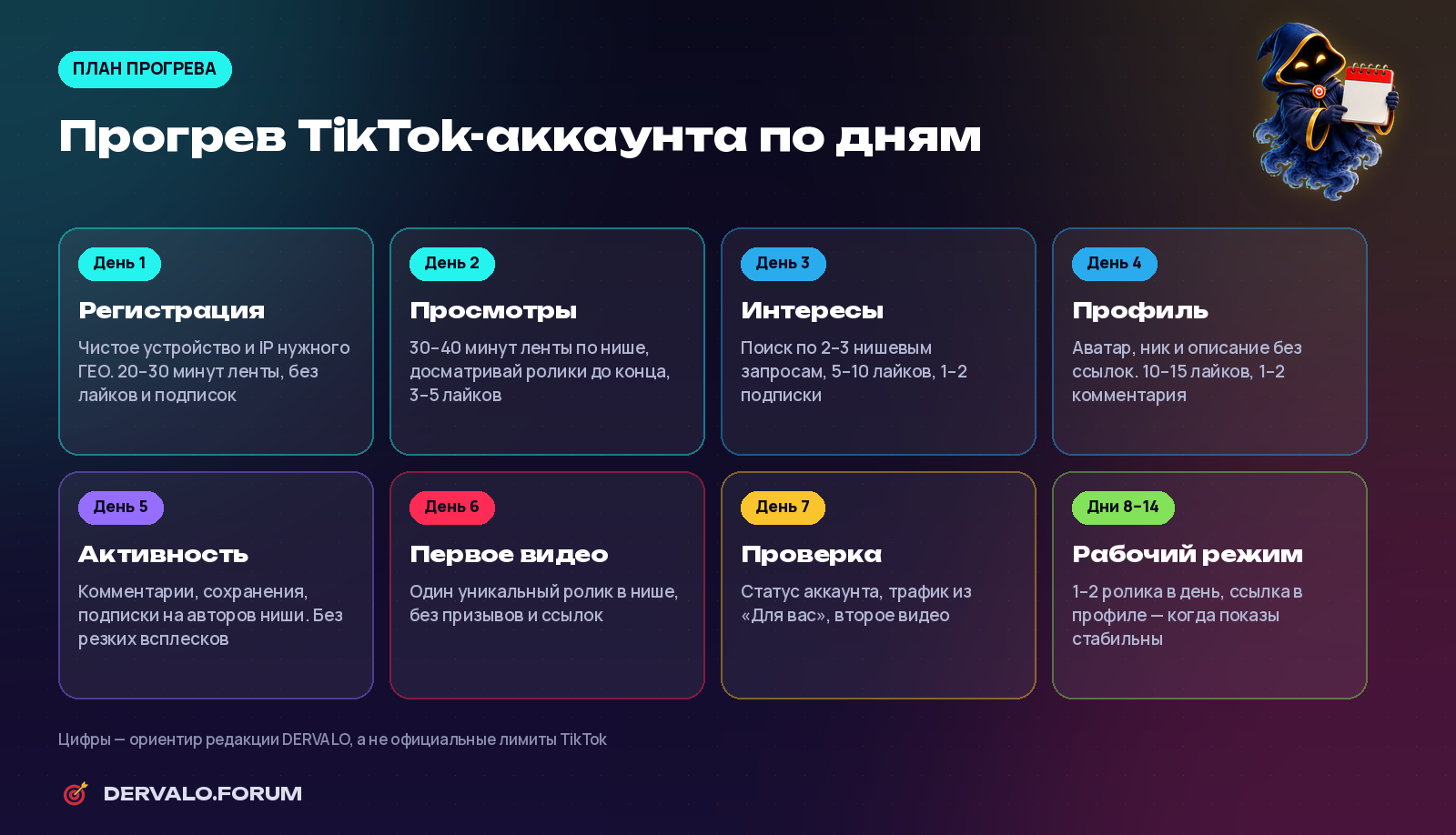
TikTok warm-up plan: day 1 to day 7 and the switch to working mode
- Day 1 — registration. Clean device, IP from the target GEO. 20–30 minutes of feed, no likes or follows.
- Day 2 — watching. 30–40 minutes of niche videos, watch to the end, 3–5 likes.
- Day 3 — interests. Search 2–3 niche queries, 5–10 likes, 1–2 follows.
- Day 4 — profile. Avatar, name and bio without links. 10–15 likes, 1–2 comments.
- Day 5 — activity. Saves, comments and follows, spread over time.
- Day 6 — first video. One unique niche video with no links or calls to leave.
- Day 7 — check. Account status and For You views; if clean, post a second video.
- Days 8–14 — working mode. 1–2 videos a day; add a bio link once views are stable. See our guide to TikTok to Telegram traffic.
Device setup for TikTok: iOS and Android
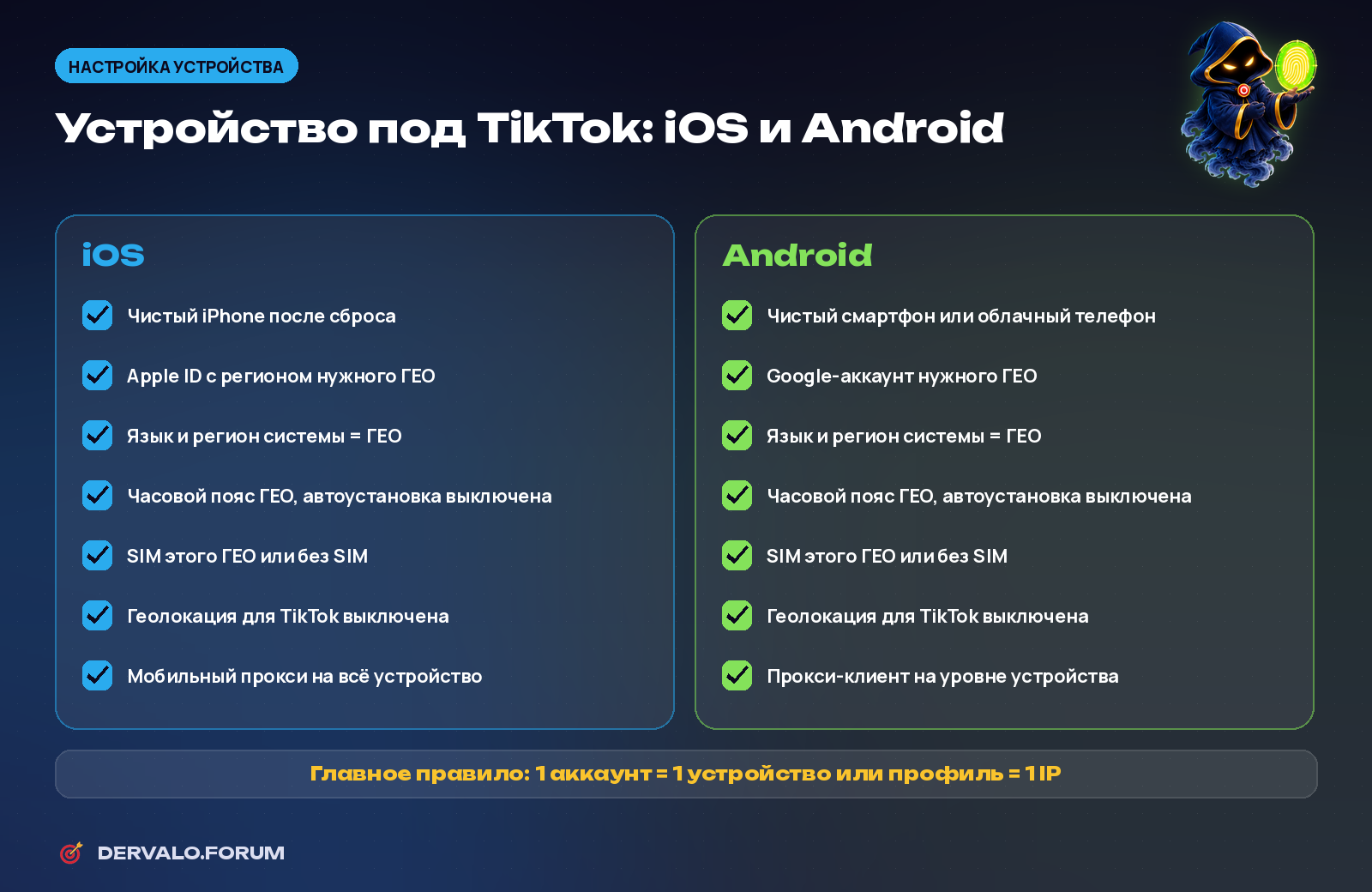
Device setup checklist for TikTok on iOS and Android
- iPhone: factory reset, Apple ID in the target region, system language, region and time zone matching the GEO, SIM from that GEO or no SIM, location off for TikTok, device-wide mobile proxy.
- Android: clean phone, cloud phone or emulator, Google account in the target region, matching language and time zone, device-level proxy client.
- Main rule: one account = one device or profile = one IP.
How TikTok detects account region
TikTok does not disclose its method. Industry research points to two main signals: the SIM card (carrier code) sets the account region, and the IP address decides which GEO sees new videos. System language, time zone, App Store or Google Play region, location and Wi-Fi also matter.
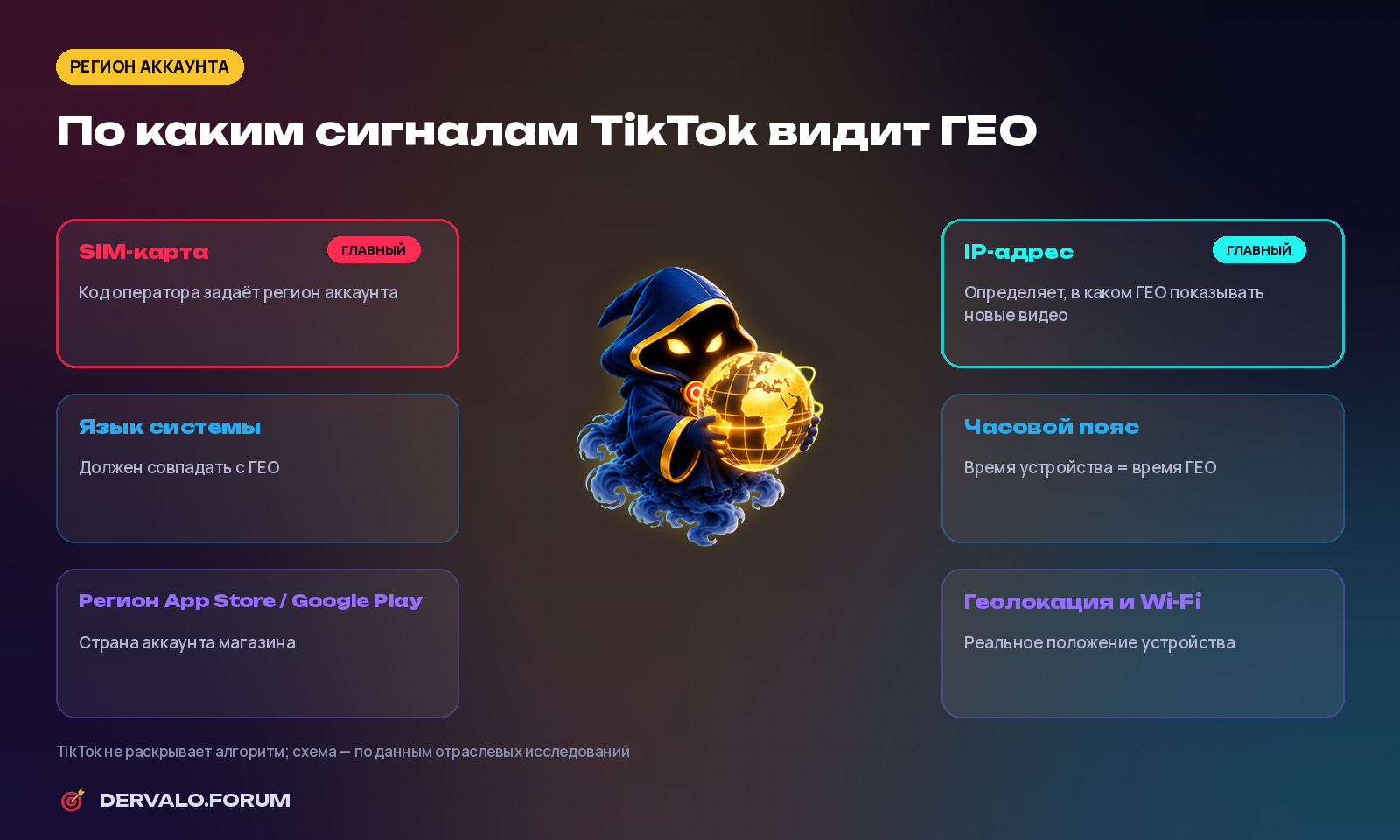
Signals TikTok uses to detect an account's GEO
Proxies for TikTok
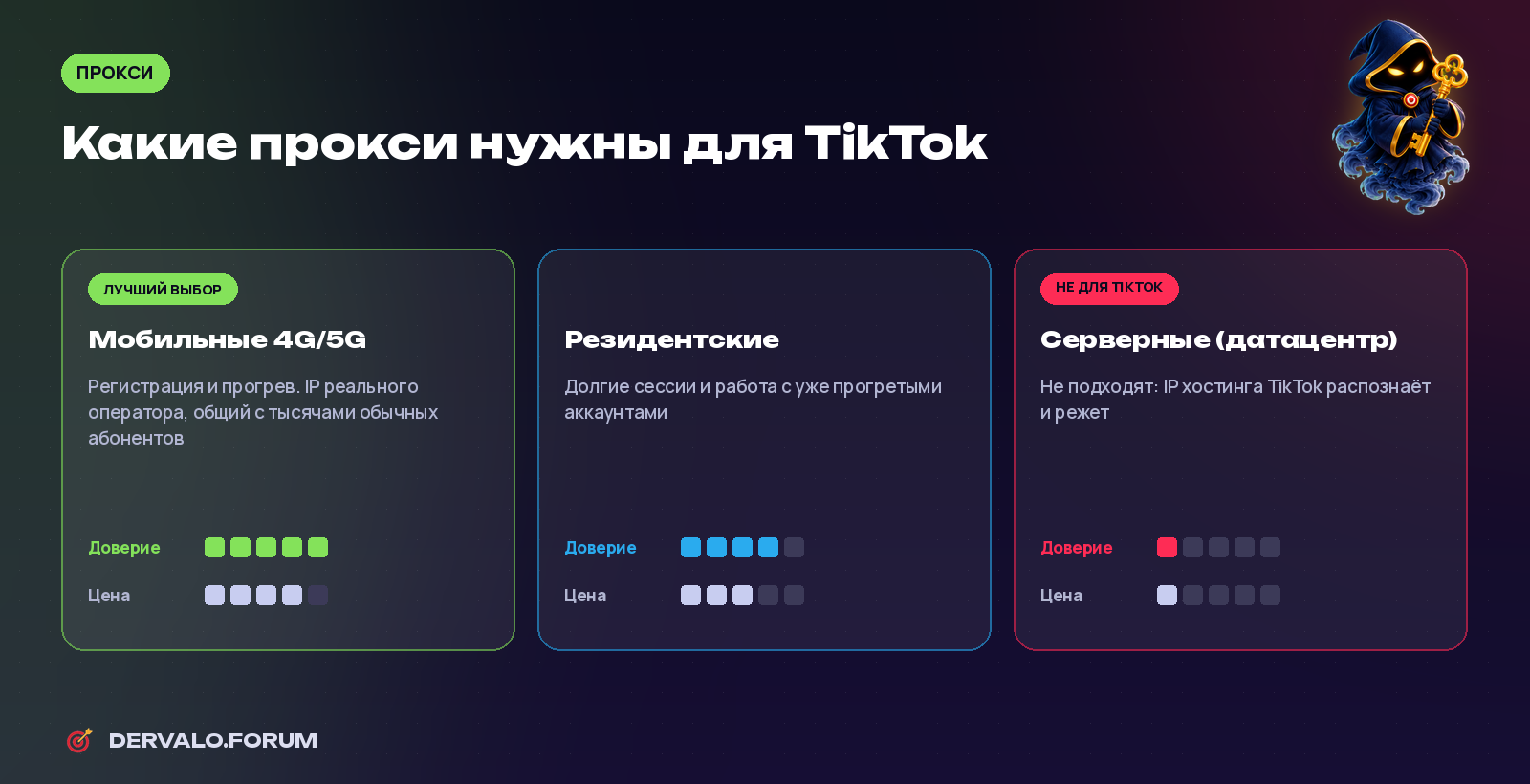
Mobile, residential and datacenter proxies for TikTok
- Mobile 4G/5G proxies — best for registration and warm-up: real carrier IPs shared by thousands of users.
- Residential proxies — long sessions with warmed-up accounts.
- Datacenter proxies — not suitable; hosting IPs are easy to detect.
Find mobile proxy providers in the DERVALO proxy catalog and read our proxy guide.
Antidetect browsers for TikTok
Uploads and analytics can run in the browser through TikTok Studio, with each account in its own antidetect browser profile with its own fingerprint, proxy, language and time zone. Registration and warm-up are safer on a mobile device.
Scaling a TikTok farm
- Tracking: a sheet per account with device, proxy, email or number, registration date, warm-up stage and status.
- Roles: farming and warm-up, creatives, redirection and analytics.
- Batches: launch 5–10 accounts at a time and compare setups before scaling.
- Unique content for every account.
FAQ
How long should I warm up a TikTok account?
At least 5–7 days before the first video with a call to action, and 10–14 days before full working mode.
Which proxies are best for TikTok?
Mobile 4G/5G for registration and warm-up, residential for long-term work. Datacenter proxies do not fit.
Can I run several TikTok accounts on one phone?
Technically yes, but for UBT one account per device or profile and one IP is safer.
iPhone or Android for a farm?
iPhone is simpler and more stable; Android is cheaper and scales through cloud phones and emulators. Many teams use both.
Running a TikTok farm? Share what works in the TikTok and UBT section of the forum.