

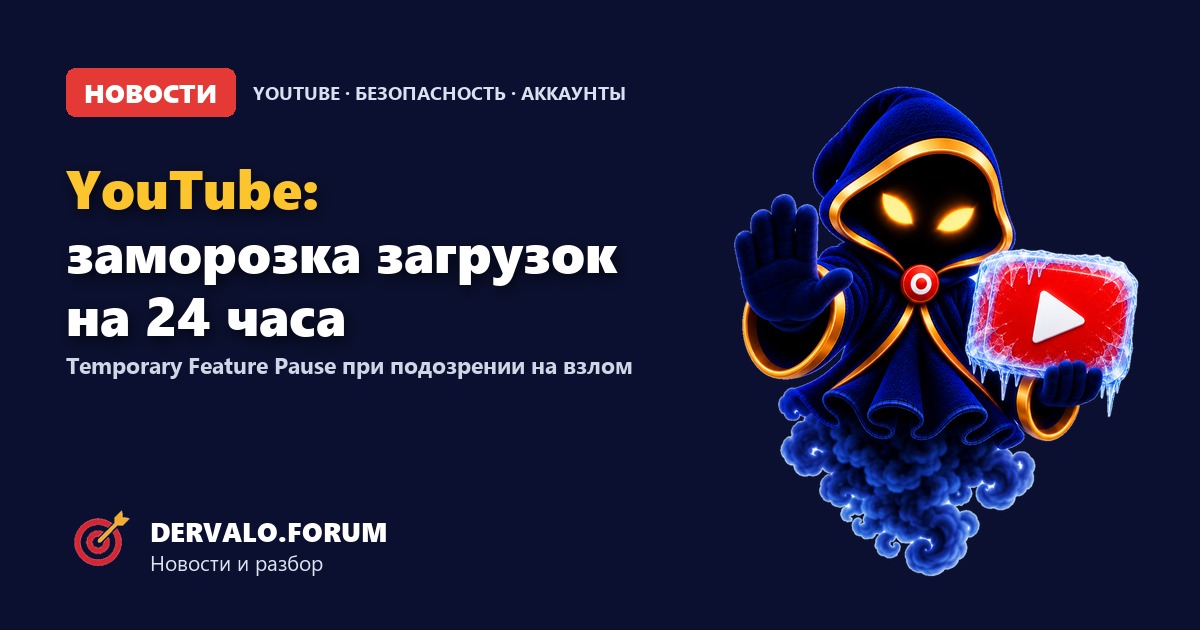
YouTube has introduced Temporary Feature Pause, an automatic freeze on channel features when it suspects an account has been compromised. If the system detects unusual activity, it temporarily blocks uploading and updating videos, starting live streams, working with playlists, uploading custom thumbnails and changing video privacy. The review typically takes up to 24 hours.
This is not a strike or a channel ban: existing videos remain available to viewers and monetization stays on. But for teams that plan content at the last minute or work with purchased accounts, the new mechanic changes the rules. Here is what gets blocked, how the review works and what to do if your channel is paused.
- What: Temporary Feature Pause on YouTube.
- When: on unusual activity that looks like account hijacking.
- What it blocks: uploads, Shorts, streams, playlists, thumbnails, privacy changes.
- How long: review typically within 24 hours.
- What it does not affect: existing videos, views, monetization.
What is Temporary Feature Pause?
Temporary Feature Pause is a protective pause, not a penalty. YouTube applies it automatically when it detects activity that may be unauthorized: an unusual login, a new device, suspicious video actions or other hijack-like signals.
While the pause is active, nobody — neither the owner nor an attacker — can perform key actions. The goal is to stop a hijacker from uploading scams, crypto streams or policy-violating content while YouTube investigates.
What exactly is blocked
| Action | Blocked |
|---|---|
| Uploading or updating videos and Shorts | Yes |
| Starting a live stream | Yes |
| Creating playlists or adding videos to them | Yes |
| Uploading custom thumbnails | Yes |
| Switching privacy: private → unlisted/public | Yes |
Important: the restriction applies to channel actions, not to already published content. Viewers can still watch existing videos and interact with the channel, and monetization status does not change. The pause does not wipe the channel or its history.
How long does the review take?
YouTube says its security team typically reviews the channel within 24 hours. Then one of two things happens:
- No compromise confirmed. Full access is restored immediately after the review — usually within those 24 hours.
- Compromise confirmed. YouTube reaches out to the owner with next steps to regain access and review changes.
This is not an automatic “unlock at exactly 24 hours”: it can take longer if the review runs late or suspicions are confirmed. YouTube Studio shows a banner with an explanation, an estimated review time and account-security steps.
What to do if your channel is paused
- Open YouTube Studio and read the banner: it explains the reason, timing and next steps.
- Change your password to a unique one and enable two-factor authentication if it is off.
- Check your recovery email and phone number — make sure they were not replaced.
- Sign out of unfamiliar devices and review connected apps.
- Check for new videos, streams, playlists or privacy changes.
- Wait for the review. Do not create a “backup” channel to bypass the pause.
If recovery drags on, use official YouTube support channels. Third-party “unfreeze for money” offers are almost always a scam.
Why it matters for affiliate marketing and purchased accounts
For media buyers, YouTube is a traffic source and a warm-up platform. The new mechanic adds risk: if a channel suddenly goes into a pause, you cannot upload a new creative, start a stream or change a thumbnail. Existing videos keep working, but the content plan has to shift.
It also hits the “buy an account, upload immediately” scheme. A change of ownership usually looks like a hijack: a new device, IP, password and email. Temporary Feature Pause can trigger on exactly that pattern. Buying and selling accounts violates YouTube’s rules, and the new measures make it even less reliable.
Farming your own accounts is not a guarantee either: channel age, history, behavior, login stability and 2FA all matter. Mass actions from one device or network raise the chance that the system sees “unusual activity”.
How to reduce the risk of a pause
- Enable two-factor authentication on every account connected to the channel.
- Use unique passwords and a password manager.
- Verify your recovery email and phone, and add backups.
- Review connected apps and permissions regularly.
- Do not log into one channel from dozens of devices and IPs without reason.
- For teams, use separate roles and access instead of one shared password.
- Keep a content buffer: do not plan to upload an hour before launch.
- Have a backup platform or channel, but stay within the rules.
FAQ
What is Temporary Feature Pause on YouTube?
It is an automatic protective pause: when YouTube suspects a hijack, it temporarily blocks uploads, streams, playlists, thumbnails and privacy changes.
How long does a channel pause last?
The review typically takes up to 24 hours. If security is verified, access is restored immediately; if a compromise is confirmed, YouTube provides recovery steps.
Are old videos deleted?
No. Viewers can still watch existing videos and interact with the channel, and monetization stays on.
Can I upload during the pause?
No. You cannot upload or update videos and Shorts, start streams, create playlists, upload thumbnails or change video privacy.
What happens if a compromise is confirmed?
YouTube contacts the owner and provides steps to regain access and review changes.
How do I recover a paused channel?
Follow the YouTube Studio banner: change your password, enable 2FA, check recovery email, phone, sessions and connected apps. Then wait for the review.
Does the pause affect monetization?
No. YouTube says monetization status is not affected, and existing videos remain available.
Why did a purchased account get paused?
Because a new device, IP, password and email look like a hijack. Buying accounts violates YouTube’s rules and is now even riskier.
How can I prevent a channel hijack?
Enable 2FA, use unique passwords, check recovery details, connected apps and sessions, and never share access with strangers.
Sources
Official announcement: Introducing temporary feature pause for hacked accounts. Help page: Temporary feature pause. On our site: UBT in YouTube Shorts and a guide to growing a YouTube channel.